Quenq Vice City
5/5 (1 Reviews)Quenq Vice City: Street Life
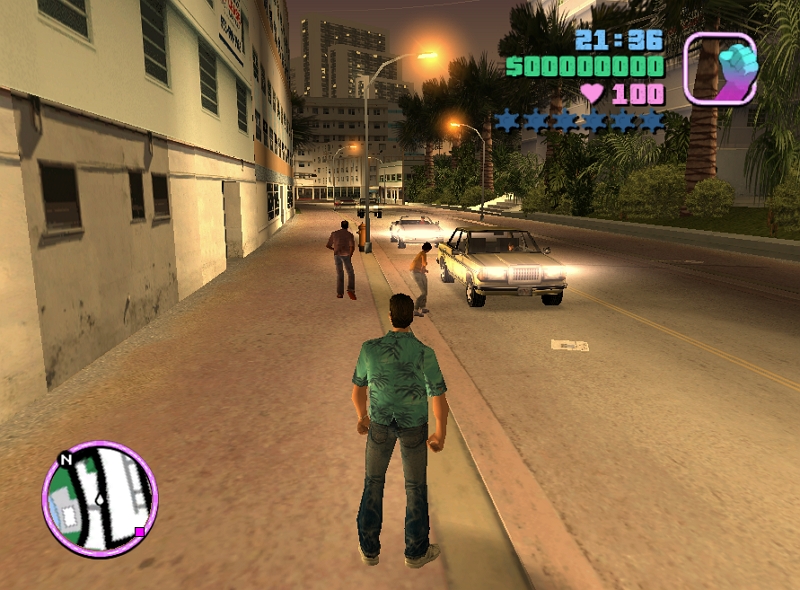
Quenq Vice City starts with a simple idea: give the player a city, a set of missions, and enough freedom to decide what happens next. You can travel on foot, find a vehicle, chase an objective, or take a detour just because a different road looks interesting. With action waiting around the corner, even a short trip can turn into an unexpectedly busy adventure.
Find Your Rhythm
There is no need to master everything immediately. Begin by moving around the city and getting familiar with the camera. Try a few vehicles when you find them and notice how differently they handle.
Once the basic controls feel comfortable, start taking on missions. Objectives give your journey some direction and often introduce situations where you need to switch quickly between traveling and fighting.
Keeping an eye on the surroundings is useful too. Streets, corners, and landmarks gradually become familiar, making it easier to judge where you are instead of wandering around like a tourist who forgot to download the map.
How to Play
The gameplay revolves around three simple activities: travel, action, and missions. Move through the city, use vehicles to reach distant locations, and follow the current objective when you are ready for a challenge.
Combat requires a little patience. Instead of constantly moving toward enemies, create some distance when possible and use the mouse carefully for aiming. This becomes especially important when several things are happening at once.
Controls
- W / A / S / D: Move your character and steer vehicles.
- Mouse: Move the camera and aim.
- Left Mouse Button: Attack or fire your weapon.
- Right Mouse Button: Use the secondary aiming or combat action when available.
- Spacebar: Perform supported actions.
- F / Enter: Enter vehicles or interact with objects.
- Esc: Pause the game or open the menu.
Learning these inputs early makes the rest of the game much smoother. You will spend less time searching for a key and more time paying attention to what is happening on screen.
Smart Ways to Explore
A car can save a huge amount of time when traveling between distant locations, so use vehicles whenever the journey is long. However, speed is not always the answer. If you are being chased, knowing the streets is more useful than simply pressing the accelerator and hoping for the best.
Police encounters can become particularly demanding. Tight corners and busy roads leave less room for mistakes. If Pay 'n' Spray is available, remember its location and use it when you need to reduce police attention.
For combat, staying slightly away from enemies can give you a clearer view and more time to react. Desktop play is also recommended because keyboard movement and mouse aiming work well together.
Make the City Your Playground
The appeal of Quenq Vice City comes from having several ways to spend your time. Missions provide goals, while free exploration lets you slow down and discover the city at your own pace.
Some sessions may be all about completing objectives. Others might involve driving around with no particular destination. Either way, the mix of vehicles, exploration, combat, and city missions keeps the experience moving.
Just be prepared for one universal rule of open-city games: the moment you say, “I'll just take a quick drive,” something usually happens.